
Centralized Dashboard for Multi-Location Laundries: Manage All Branches in Real-Time
Running multiple laundry outlets means dealing with different staff members, separate billing systems, and endless phone calls just to check if an order is ready. Most owners I've spoken with admit they spend half their day asking "what's happening at the other branch?" This gets expensive fast—not just in time, but in missed orders and customer complaints. A centralized dashboard solves this by putting all your locations on one screen, updating in real-time as orders come in, payments get processed, and deliveries go out.
Why Multi-Location Laundry Owners Struggle Without Centralization
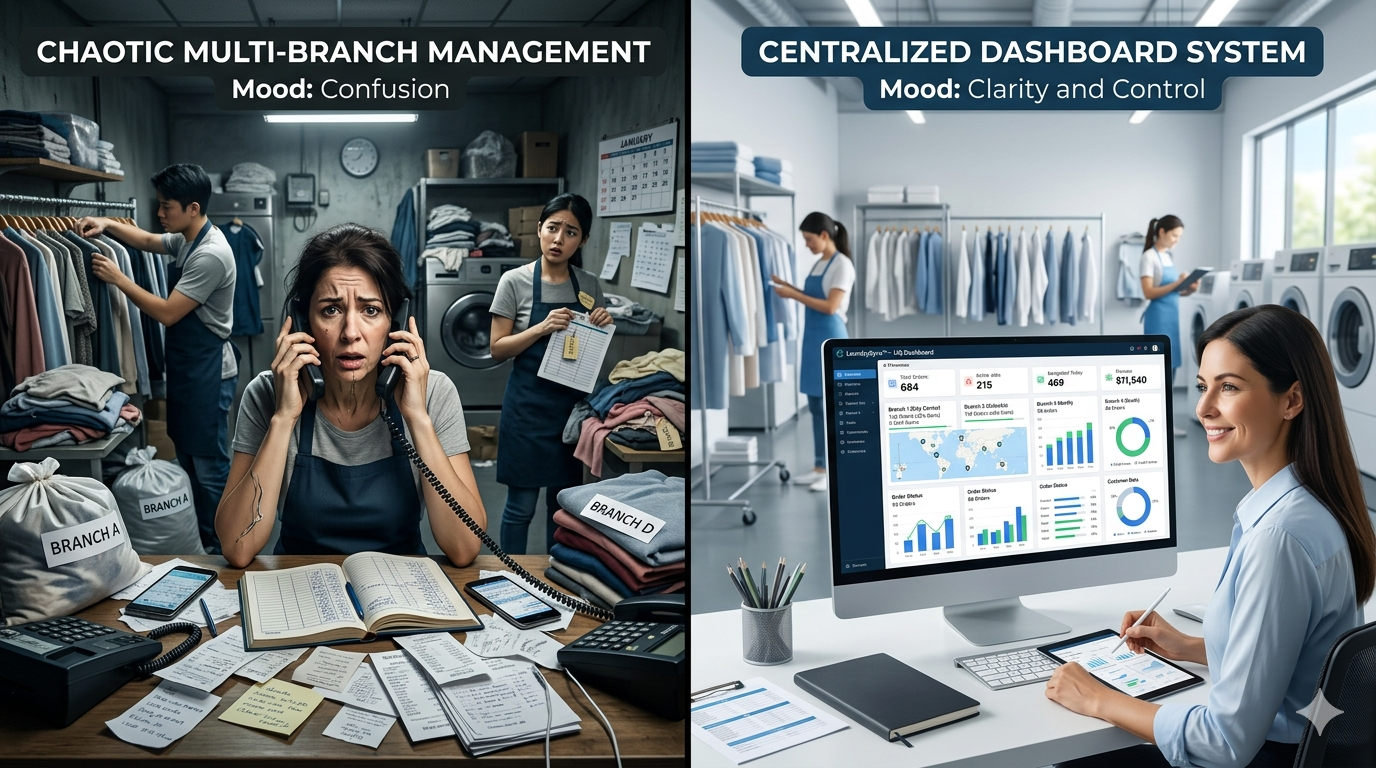
When you're managing two or three branches, the problems multiply faster than the revenue. Each location operates like a separate business. One branch might be using a register book, another has an Excel sheet, and the third bought some local billing software that doesn't talk to anything else.
I've seen owners drive across town just to verify a customer's payment history. Or worse, tell a customer "I'll check and call you back" because they genuinely don't know which branch has that person's clothes. Staff calls pile up—"Sir, we're out of hangers," "Sir, delivery boy didn't come," "Sir, customer is angry about delay."
The real cost isn't the fuel you spend driving between locations. It's the orders you lose because you couldn't confirm availability. It's the customers who leave because getting a simple answer took three days. Revenue visibility becomes guesswork. You might think Branch A is doing great because the cash drawer looks full, but you won't know about the unpaid credit orders until month-end.
What a Centralized Dashboard Actually Does
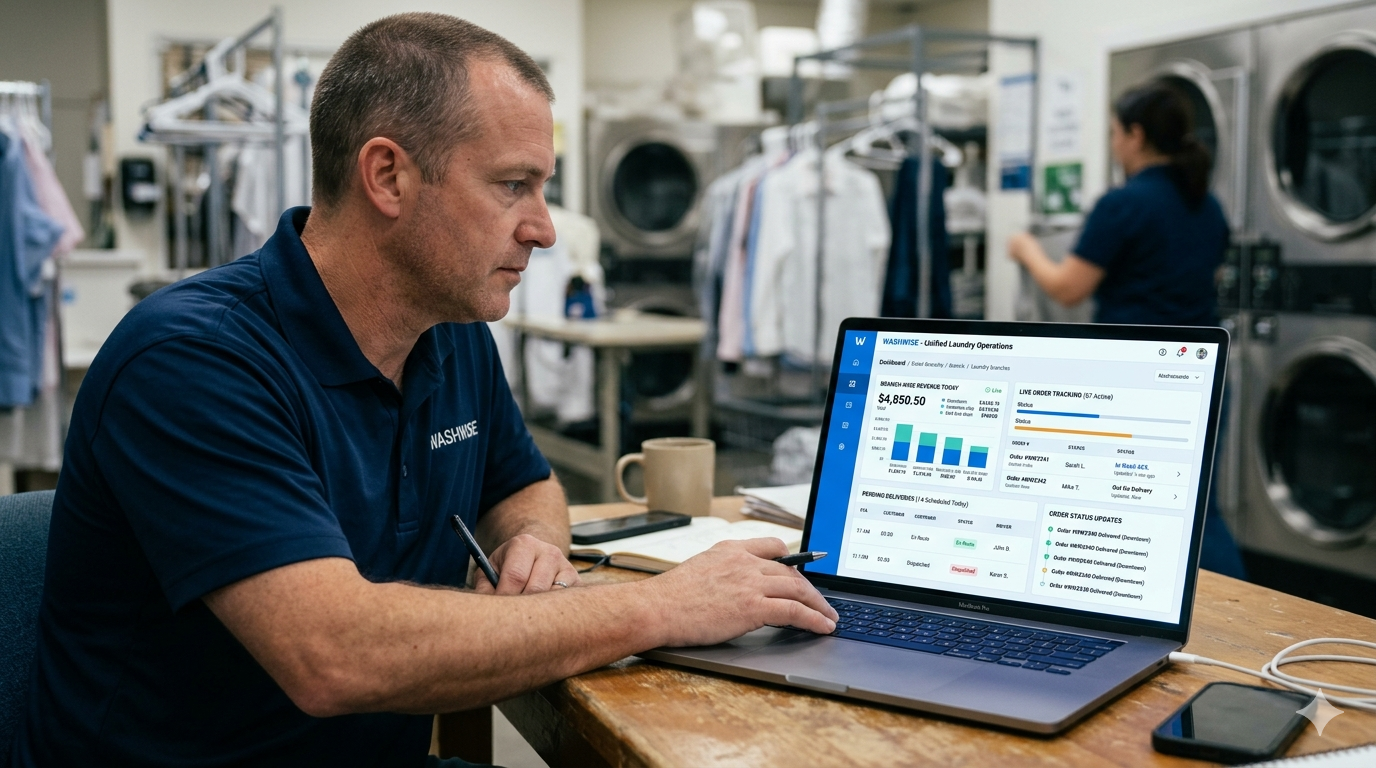
Think of it as one control panel for your entire laundry chain. Instead of calling each branch manager, you open one screen and see everything—live orders, pending deliveries, today's revenue, inventory alerts, staff attendance.
When a customer walks into Branch B asking about their order from Branch A, your staff can pull it up instantly. No phone calls. No waiting. The system shows the order status, which services were done, payment pending, and expected delivery time. This happens because all branches feed into the same database, updating every few seconds.
Real-time means exactly that. A customer pays at Branch C right now, and you see that transaction on your phone within seconds. Someone marks an order as "out for delivery" at Branch A, the dashboard updates immediately. Your morning revenue target is ₹15,000 across all branches—you can see at 11 AM that you're at ₹8,200 and Branch B is lagging.
The practical benefit? You make faster decisions. If Branch A is overwhelmed with orders and Branch C is slow, you can redirect tomorrow's pickups. If one location is burning through detergent faster than others, you spot it before they run out.
Core Features That Matter for Multi-Branch Operations
Not every dashboard feature is equally useful. Some are just nice to have. Others directly impact whether you make money or lose customers.
Unified Order Management
Every order from every branch appears in one place. You see order ID, customer name, services requested, assigned branch, current status (received, processing, ready, delivered), and payment status. Customers don't care which branch took their order—they just want their clothes. Your system shouldn't care either.
The search function becomes critical here. Type a customer's phone number and instantly see all their orders across all locations, including the one they placed six months ago at a different branch. This works because customer data is centralized, not trapped in individual branch systems.
Branch-Wise Revenue Tracking
You need to know which location is actually profitable. The dashboard breaks down daily, weekly, and monthly revenue by branch. You'll see total sales, cash vs. digital payments, pending collections, and service-wise breakup.
But here's what most owners miss—revenue without context is meaningless. Good dashboards also show order count, average order value, and customer retention per branch. Branch A might show ₹50,000 monthly revenue with 200 customers, while Branch B shows ₹45,000 with 120 customers. Branch B is actually performing better per customer.
Real-Time Inventory Visibility
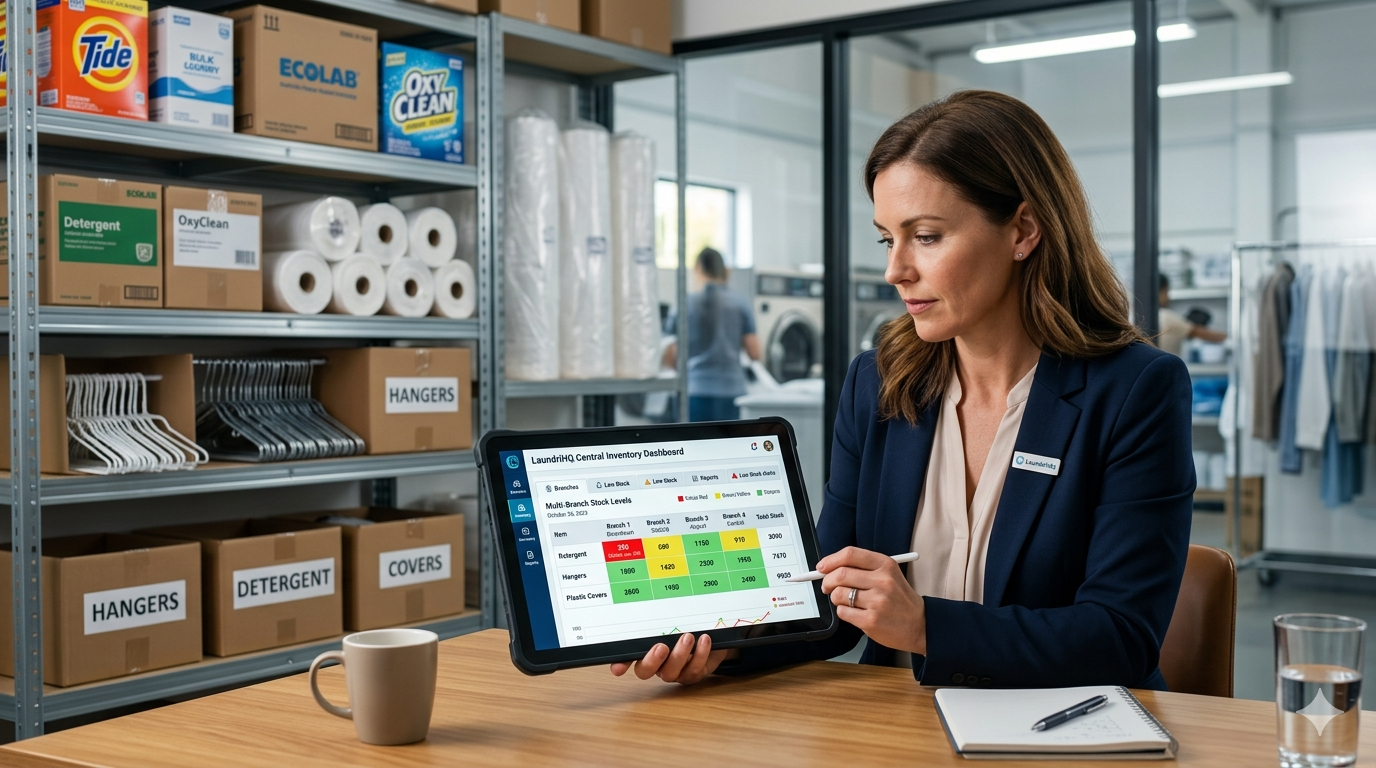
Detergent, hangers, plastic covers, tags—these small items create big problems when they run out. A centralized inventory system shows current stock levels at each branch and sends alerts before you hit zero.
More importantly, it shows consumption patterns. If Branch A uses 20 liters of detergent weekly and Branch C uses 35 liters for the same order volume, something's wrong. Either Branch C is wasting materials or Branch A is under-using them, affecting quality.
Staff Performance and Attendance
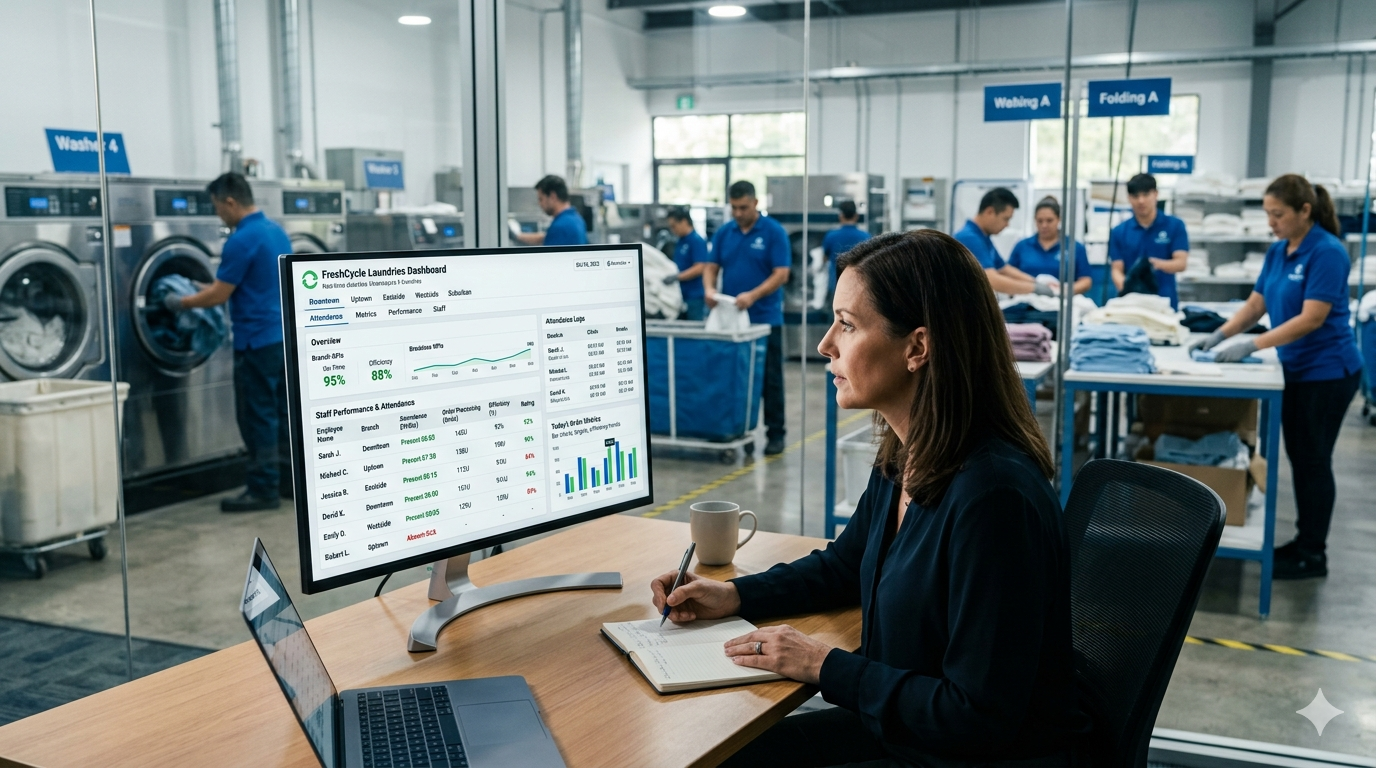
Who's actually showing up to work? Who's processing the most orders? Which branch has high staff turnover? The dashboard logs staff attendance, tracks individual performance metrics, and even shows if someone's consistently late.
This isn't about micromanaging. It's about understanding why Branch B has longer processing times. Maybe they're understaffed. Maybe one person is handling everything while others slack off. You can't fix what you can't see.
Customer Database Across All Locations
A customer who visits Branch A once should be recognized at Branch B. The centralized system maintains one customer profile with complete history—all past orders, preferences (starch/no starch, folded/hangers), payment patterns, and even complaints.
This creates a smoother experience. A regular customer visits a new branch while traveling. Staff greets them by name, knows their preferences, and offers the same service quality. That's what keeps customers coming back.
How Ezer POS Enables True Multi-Location Management
Technology should solve problems, not create new ones. Ezer POS approaches multi-branch management by keeping everything cloud-based. This means your data isn't stuck on one computer at one branch—it's accessible from anywhere with internet.
The system gives you real-time updates across all locations. When Branch A's cashier bills an order, it reflects instantly on your dashboard. You're sitting at home and can see exactly what's happening at each outlet without making a single phone call. Morning reports, revenue targets, pending deliveries—everything updates live.
Each branch gets its own login with appropriate permissions. Branch managers see their location's data plus whatever you allow them to access. You, as the owner, see everything. The delivery person gets a mobile app that only shows assigned orders. This prevents confusion and maintains accountability.
Billing integration matters more than people realize. Ezer handles GST-compliant invoicing, sends automated SMS updates to customers, and tracks both cash and digital payments. When a customer pays via UPI at any branch, that transaction records automatically with the correct order and customer profile.
The mobile access is particularly useful. You're not chained to a desktop. Check morning revenue from your phone. Approve a discount request while you're at the market. Review yesterday's performance from anywhere.
Ezer Laundry POS System
Streamline your laundry business with our comprehensive POS system. Features include smart billing, garment tracking, WhatsApp notifications, and cloud backup.
Setting Up a Centralized System: Practical Steps
The technical setup is simpler than most owners expect. You don't need separate servers or complex IT infrastructure. Cloud-based systems run on regular internet connections.
Start by listing what you actually need to track. Don't get distracted by fancy features you'll never use. Most laundry chains need: order management, billing, inventory, customer database, and basic reporting. Pick a system that does these well before worrying about AI predictions or blockchain integration.
Data migration from old systems is the tricky part. If you're moving from register books or Excel sheets, you'll need to manually enter customer data and past orders. Yes, it's tedious. But you only do it once. Some software providers offer migration assistance—use it.
Train your staff properly. Not just once, but repeatedly. The branch manager who's comfortable with pen and paper will resist the new system. Show them how it makes their job easier. Let them see how they can check order status without calling other branches, how inventory alerts prevent stockouts, how automated SMS reduces customer calls.
Set up permissions carefully. Your delivery person doesn't need access to revenue reports. Branch managers shouldn't be able to modify system settings. Each user gets exactly what they need to do their job, nothing more.
Test everything before going live across all branches. Run both systems in parallel for a week. Catch issues while you still have the old system as backup.
Common Mistakes When Implementing Multi-Location Systems
The biggest mistake is buying software based on features rather than actual needs. A system with 50 features sounds impressive until you realize you only use seven of them, and those seven don't work well.
Many owners implement new systems without proper training. They buy the software, install it, and expect staff to figure it out. Two weeks later, half the staff is still using the old register book and the new system has incomplete data. If your staff doesn't use it properly, you've wasted money.
Choosing the cheapest option usually backfires. That ₹5,000 lifetime software might save money upfront, but what happens when you need support? What about updates? What if it crashes? Cloud-based systems charge monthly fees, but they include support, automatic updates, and data backup.
Not cleaning up customer data is another frequent issue. You merge three branches into one system, and suddenly you have duplicate customer entries—same person with three different phone numbers and addresses. Clean your data before migration, not after.
Ignoring staff feedback during implementation means you'll miss practical problems. The person actually using the system eight hours a day knows if something doesn't work. Listen to them.
Cost Considerations and ROI
Cloud-based POS systems for multi-location laundries typically range from ₹3,000 to ₹8,000 per month depending on features, number of users, and support level. Some charge per branch, others offer unlimited branches at a flat rate.
The initial setup cost includes hardware if needed—tablets for billing, barcode scanners, receipt printers. Budget ₹15,000 to ₹30,000 per branch for basic hardware. You probably don't need top-end equipment. A decent Android tablet works fine for most operations.
Training costs are often overlooked. Factor in at least one week of reduced productivity while staff learns the new system. You might need to hire someone temporarily to handle the transition period.
The return on investment comes from several areas. You save time—those hours spent calling branches, manually consolidating reports, hunting for order details. That time converts to either more revenue or better quality control.
You reduce losses from billing errors, missed orders, and inventory wastage. A single lost customer order worth ₹2,000 paid for that month's software subscription. Catching inventory theft or excessive usage pays for itself.
Better customer experience leads to higher retention. When customers get faster service, accurate updates, and consistent quality across branches, they return more often. Repeat customers are your most profitable customers.
Most owners I've worked with recover their implementation costs within 3-4 months through time savings and error reduction alone. Revenue growth from better operations takes longer but is more substantial.
Integration With Existing Operations
Your new system needs to work with your current processes, not replace them entirely overnight. Start with one branch as a pilot. Get it running smoothly before rolling out to others. This gives you real feedback and identifies problems in a controlled environment.
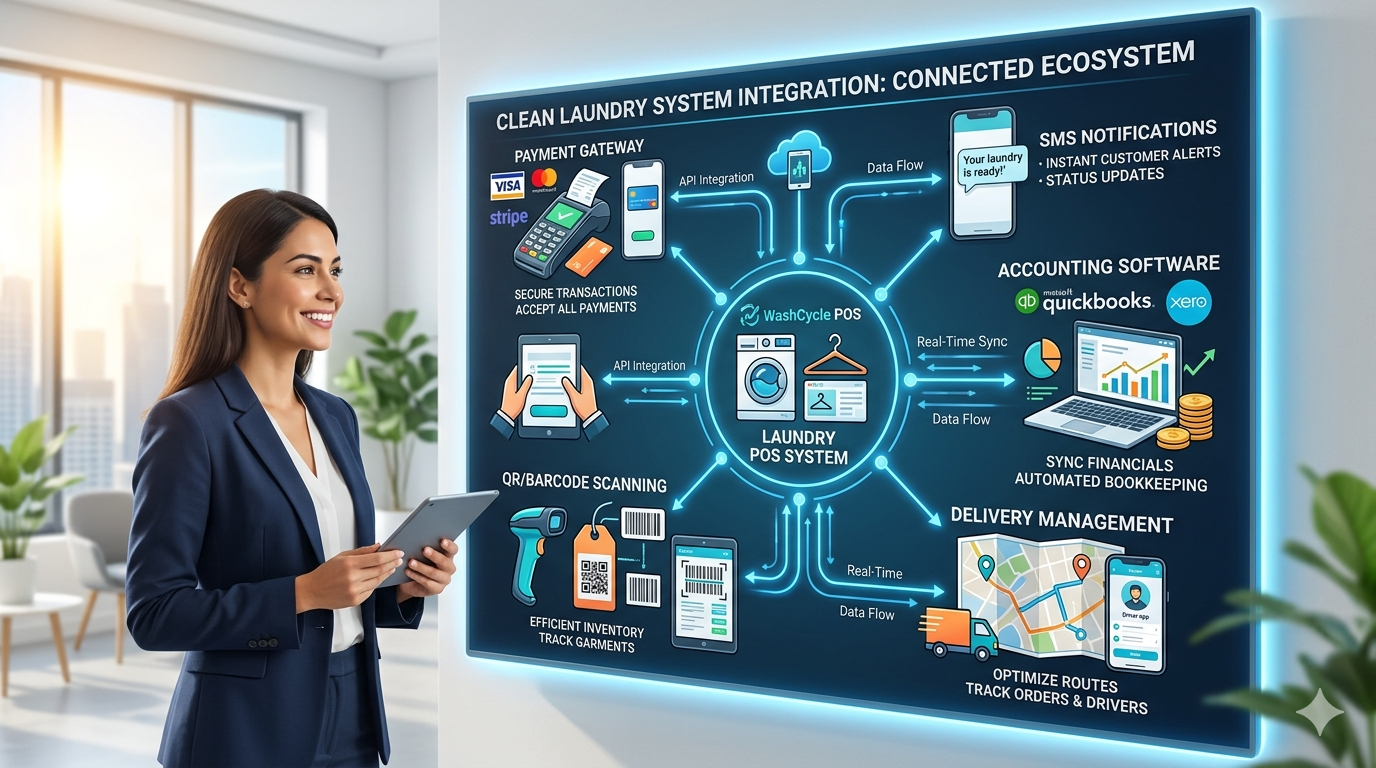
Most modern laundry POS systems integrate with payment gateways, SMS services, and accounting software. Check these integrations carefully. If you're using Tally for accounting, confirm your POS can export data in a compatible format. If you rely on WhatsApp for customer communication, see if the system supports WhatsApp API integration.
Barcode and QR code integration speeds up operations significantly. Tag each garment with a unique code, scan it at every stage—receive, process, ready, deliver. Customers can track their order using the QR code on their receipt. This requires compatible scanners but eliminates most manual tracking errors.
Delivery management integration is crucial for pickup-and-delivery services. Your dashboard should show which orders are out for delivery, who's handling them, estimated delivery time, and completion status. Some systems integrate with Google Maps for route optimization.
Scaling Beyond Basic Dashboards
Once you're comfortable with basic multi-branch management, advanced features become useful. Automated reporting sends you daily, weekly, or monthly summaries without manual effort. Wake up to an email showing yesterday's performance across all branches.
Customer segmentation helps target marketing. The system identifies your high-value customers, those who haven't visited in 30 days, or those who only use basic services. Send targeted promotions to each group.
Predictive inventory management uses historical data to forecast requirements. Instead of ordering detergent when you run out, the system predicts you'll need 40 liters next week based on current order trends and suggests placing an order now.
Dynamic pricing based on demand and capacity becomes possible with good data. If Branch A is consistently overbooked on Saturdays, you might add a small surcharge or offer discounts for Friday pickups to balance the load.
FAQs
Can I manage multiple laundry branches from my mobile phone?
Yes, cloud-based systems like Ezer POS offer mobile apps that give you full dashboard access. You can check revenue, approve discounts, view order status, and monitor inventory from anywhere with internet. The mobile interface is simplified but covers all essential management functions you need daily.
What internet speed do I need for a centralized laundry management system?
A basic broadband connection of 2-5 Mbps per branch is sufficient. The system doesn't transfer heavy data—mostly text records, order details, and occasional image uploads. If internet goes down temporarily, most systems work offline and sync automatically when connection restores.
How do I prevent data conflicts when multiple branches operate simultaneously?
Modern cloud systems handle concurrent operations automatically. When two branches update different orders simultaneously, the system processes both without conflict. If two users somehow try to modify the same order at the exact same time, the system timestamps entries and applies changes in sequence or prompts for manual resolution.
What happens to customer data when I add or remove a branch?
Customer data remains in the centralized system regardless of branch changes. If you close Branch B, all customer records, order history, and payment information stay accessible from other branches. Customers simply visit your remaining locations and their complete history follows them automatically.
Is it possible to give different access levels to branch managers vs. owners?
Absolutely. Role-based access control lets you define exactly what each user can see and do. Branch managers might view only their location's data and run reports, while owners see consolidated data from all branches. Cashiers get billing access but can't view financial reports. This ensures security and prevents unauthorized changes.
How long does it take to train staff on a new centralized system?
Basic operation training takes 2-3 days for most staff. They'll learn billing, order creation, and status updates fairly quickly. Complete proficiency including inventory management, reporting, and troubleshooting typically develops over 2-3 weeks of daily use. Ongoing support matters more than initial training duration.
Can I integrate my existing billing software with a centralized dashboard?
This depends on your current software. Some older standalone systems don't support integration and you'll need to migrate to a new system entirely. Most modern POS systems offer APIs or data import features that allow integration with accounting software like Tally, payment gateways, and SMS services. Check compatibility before committing to any solution.
Conclusion
Managing multiple laundry branches without a centralized system means you're constantly reacting to problems instead of preventing them. A proper dashboard gives you real-time visibility into every location—orders, revenue, inventory, and staff performance all in one place.
The technology isn't complicated anymore. Cloud-based solutions like Ezer POS work on regular internet connections, require minimal hardware, and cost less than the losses you're currently taking from billing errors and missed orders. The real question is whether you want to keep driving between branches to check order status or manage everything from your phone.
Start with clear requirements, choose software that solves your actual problems, train your staff properly, and implement gradually. Most laundry owners recover their investment within a few months through time savings and reduced operational errors alone.
Ready to see how a centralized dashboard works for your laundry chain? Explore how Ezer POS can help you manage multiple locations efficiently with real-time updates, unified customer data, and complete operational visibility across all your branches.
7 Critical Mistakes to Avoid When Starting a Laundry Business in 2026 How to Start Your Laundry Business in 2026: Complete Guide